# Introduction

## What is Screena?

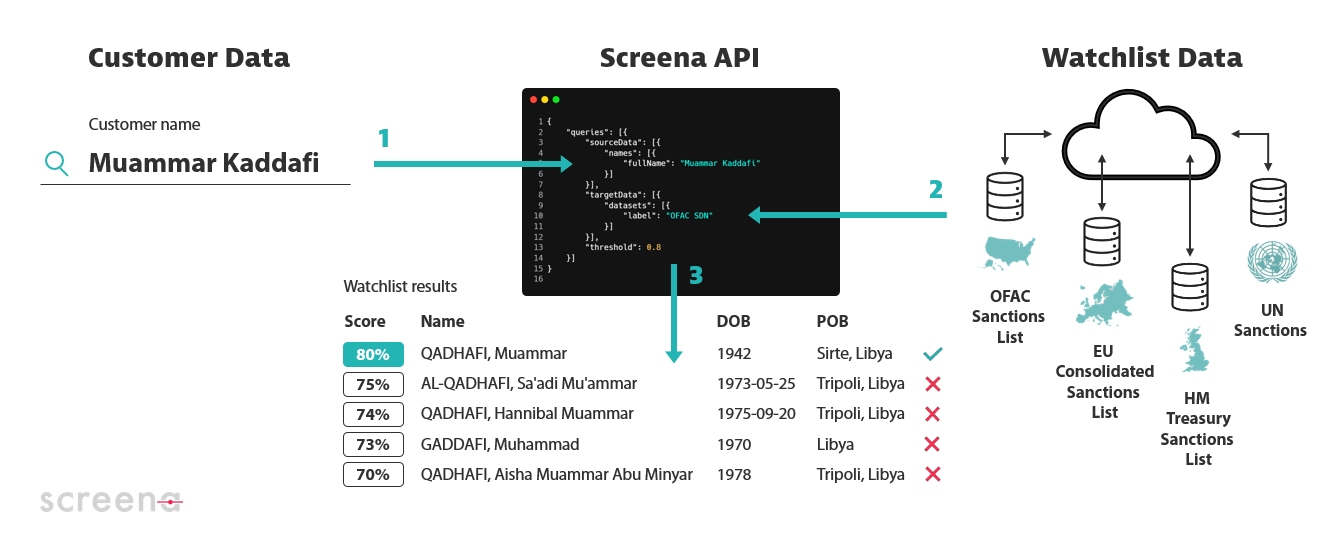
Screena is a **watchlist screening API** powered by machine learning that accurately verifies names of people and organizations against vast databases – at speed and at scale.

<figure><img src="https://2401496031-files.gitbook.io/~/files/v0/b/gitbook-x-prod.appspot.com/o/spaces%2F0Al0j8H9zAyjprZOrm47%2Fuploads%2FWHJNtTZ98XikewXjj3MR%2Fwhat%20is%20screena.png?alt=media&#x26;token=b889c708-8209-4f67-9e9c-1258c3733293" alt=""><figcaption><p>Screena 101</p></figcaption></figure>

## Why Screena?

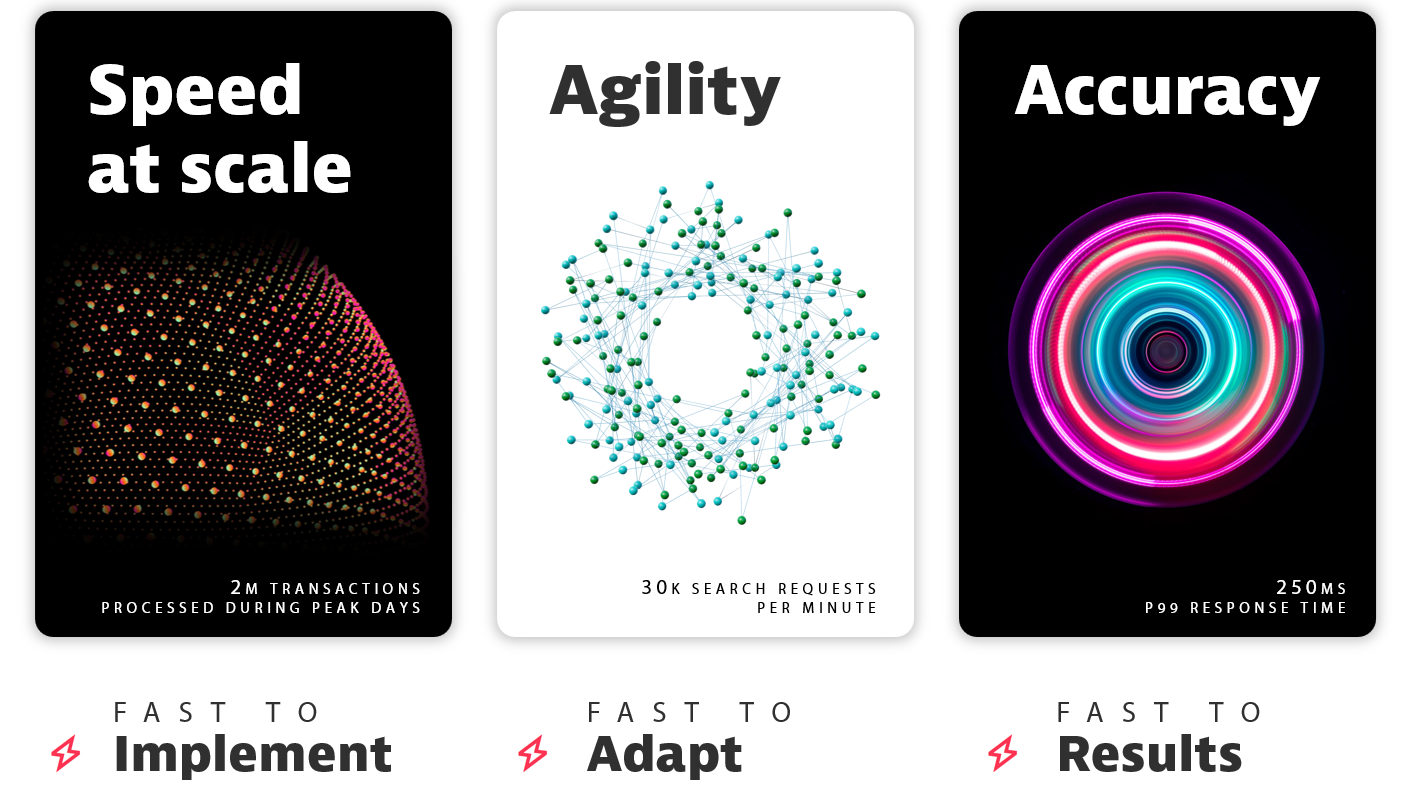
<figure><img src="https://2401496031-files.gitbook.io/~/files/v0/b/gitbook-x-prod.appspot.com/o/spaces%2F0Al0j8H9zAyjprZOrm47%2Fuploads%2F3vVM9GWeveD0u6tCxn00%2FWhy%20Screena.png?alt=media&#x26;token=1546db99-0c10-4e3f-9002-ef4b8a4529f4" alt=""><figcaption><p>Screena Value Proposition</p></figcaption></figure>

## Exploring Screena FAQs

<table data-view="cards"><thead><tr><th></th><th></th><th></th><th data-hidden data-card-target data-type="content-ref"></th></tr></thead><tbody><tr><td><a href="name-matching"><strong>Name Matching</strong></a></td><td><span data-gb-custom-inline data-tag="emoji" data-code="1f524">🔤</span></td><td>All about Screena's secret sauce: algorithms </td><td></td></tr><tr><td><a href="watchlists"><strong>Watchlists</strong></a> </td><td><span data-gb-custom-inline data-tag="emoji" data-code="1f534">🔴</span></td><td>Learn how Screena makes the most of sanctions, PEPs and adverse media data</td><td></td></tr><tr><td><a href="performance"><strong>Performance</strong></a></td><td><span data-gb-custom-inline data-tag="emoji" data-code="23e9">⏩</span></td><td>Find out why our cloud-native technology is built for speed and scalability</td><td></td></tr><tr><td><a href="integration"><strong>Integration</strong></a></td><td><span data-gb-custom-inline data-tag="emoji" data-code="1f50c">🔌</span></td><td>Because no one wants to get locked into monolithic solutions</td><td></td></tr><tr><td><a href="personalization"><strong>Personalization</strong></a></td><td><span data-gb-custom-inline data-tag="emoji" data-code="1f39b">🎛️</span></td><td>Learn how to personalize and optimize your screening experience</td><td></td></tr><tr><td><a href="hosting-and-deployment"><strong>Hosting &#x26; Deployment</strong></a></td><td><span data-gb-custom-inline data-tag="emoji" data-code="1f310">🌐</span></td><td>Learn more about Screena infrastructure and deployment model</td><td></td></tr><tr><td><a href="pricing-and-support"><strong>Pricing &#x26; Support</strong></a></td><td><span data-gb-custom-inline data-tag="emoji" data-code="1f4b3">💳</span></td><td>Understand what you pay for</td><td></td></tr><tr><td><a href="security-and-audit"><strong>Security &#x26; Audit</strong></a></td><td><span data-gb-custom-inline data-tag="emoji" data-code="1f6e1">🛡️</span></td><td>Discover why privacy and security are Screena's foremost priorities</td><td></td></tr><tr><td><a href="tech-stack"><strong>Tech Stack</strong></a></td><td><span data-gb-custom-inline data-tag="emoji" data-code="2699">⚙️</span></td><td>Take a look at what's under the hood</td><td></td></tr><tr><td><a href="https://developer.screena.ai/"><strong>API Reference</strong></a></td><td><span data-gb-custom-inline data-tag="emoji" data-code="1f4d8">📘</span></td><td>A full reference of Screena API endpoints</td><td></td></tr><tr><td><a href="https://screena-api.statuspage.io/"><strong>API Status</strong></a></td><td><span data-gb-custom-inline data-tag="emoji" data-code="1f6a5">🚥</span></td><td>Check Screena API status and stay informed during downtime</td><td></td></tr></tbody></table>

> **Not finding what you're looking for?** We're here for you! Email us at <experts@screena.ai> and we'll help you out.


---

# Agent Instructions: Querying This Documentation

If you need additional information that is not directly available in this page, you can query the documentation dynamically by asking a question.

Perform an HTTP GET request on the current page URL with the `ask` query parameter:

```
GET https://help.screena.ai/resources/faq/introduction.md?ask=<question>
```

The question should be specific, self-contained, and written in natural language.
The response will contain a direct answer to the question and relevant excerpts and sources from the documentation.

Use this mechanism when the answer is not explicitly present in the current page, you need clarification or additional context, or you want to retrieve related documentation sections.